Dental website design · By Jordan Lee · Updated
Dental websites that bring in new patients.
A dental website is read by someone with a toothache, a nervous patient who has put off a cleaning for years, or a parent looking for a family dentist. This is how I build a dental website in 2026 that calms them down and ends in a booked visit.
In short
TimeWebStudio designs dental websites for US general, family, cosmetic and pediatric dental practices: Book a visit on every screen, a same-day emergency path, a short appointment request that asks for no dental history, treatment pages, insurance, membership and financing answers, consented before-and-after galleries and Dentist schema for local SEO. A complete dental website costs $3,500 at a fixed price and usually goes live in about 14 days; a single-page site is $1,500.
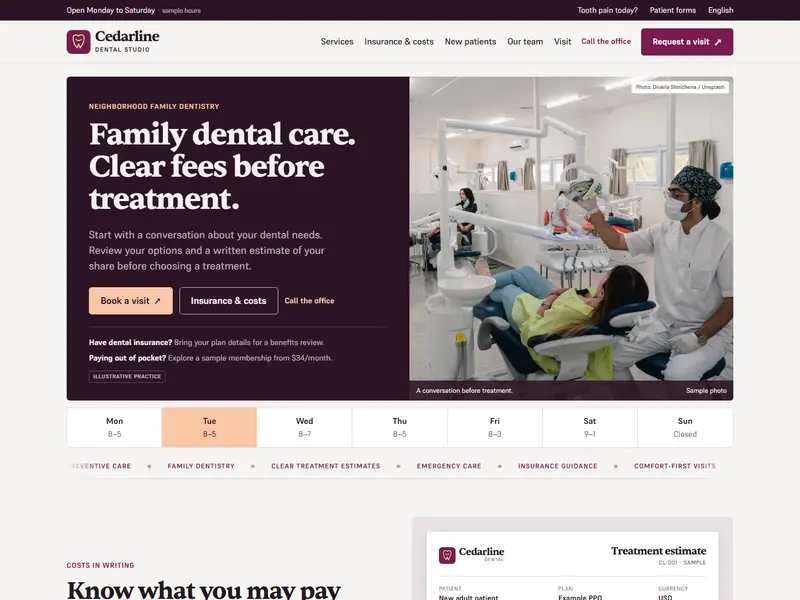
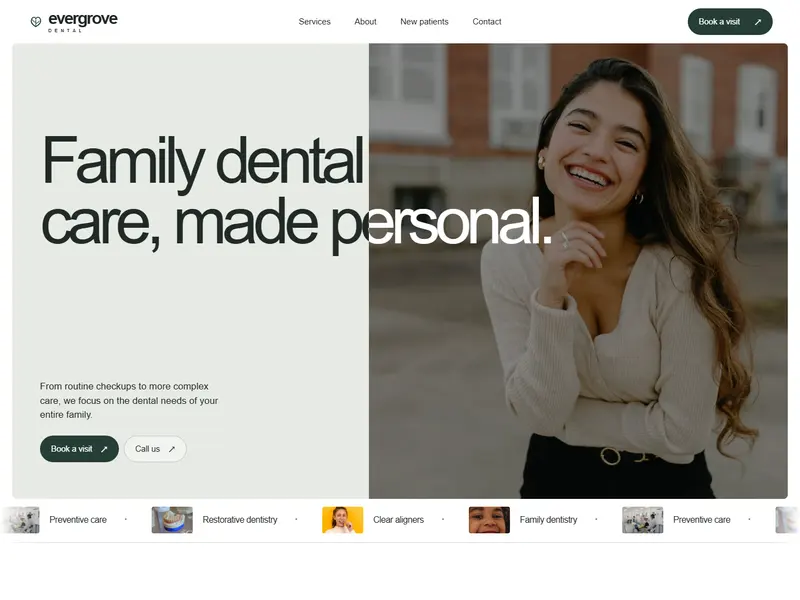
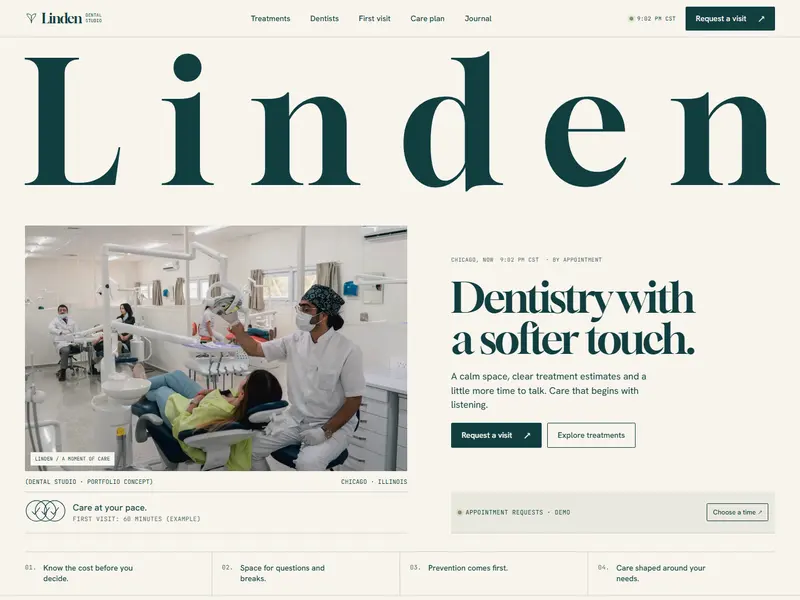
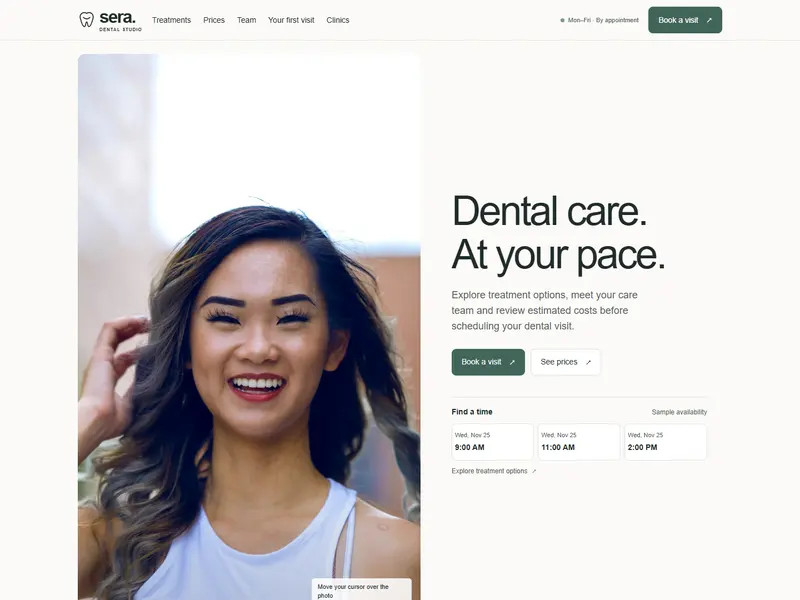
01The toothache search
It starts with a toothache, or a cleaning put off for three years.
Someone wakes up with a throbbing molar and types “emergency dentist near me”. Someone else has just moved and searches “dentist accepting new patients”, while a third has wanted straighter teeth for years and searches “Invisalign cost”. Each opens three dental websites side by side and picks the one that feels safe and easy to book.
So a dental website is not a list of procedures. It answers the fear and the money questions first: will it hurt, will my insurance cover it, can I afford it, and how soon can I get in. Then it shows the team and the office, so a nervous patient can picture walking through the door.
Can you see me today?
An emergency line at the top, same-day slots stated honestly, and Book a visit on every screen.
Will it hurt?
A calm page on comfort and sedation options, what happens at each visit and how gentle the team is with nervous patients.
Can I afford it?
In-network plans, a membership plan for patients without insurance, financing and new-patient offers, in text.
Who will treat me?
Real dentists and hygienists with their training, the languages they speak and photos of the actual office.
Every decision in the next chapter answers one of those four questions.
02How it is built
How I build a dental website, in eight decisions.
The order matters. Each decision is made for the patient who is in pain, nervous or putting it off first, and for the practice second.
-
I
Book a visit, on every screen
The booking button sits in the header of every page, and on phones it stays pinned to the bottom of the screen next to a tap-to-call button. Every treatment page ends in the same request, with that treatment already chosen, and new and returning patients each get the path they need.
Built into every project -
II
An emergency path that is impossible to miss
Toothaches, a broken tooth or a lost filling are the most urgent searches a practice gets. A short line at the top of every page leads to an emergency page with same-day hours, what to do until the visit and a direct phone number. Life-threatening swelling or trauma still goes to 911.
Built into every project -
III
An appointment request that asks for no dental history
Reason for the visit, new or returning patient, preferred date and time, insurance carrier and a way to reach the patient. X-rays, medical history and medications are left out on purpose: they belong in your HIPAA-compliant practice software, so the request either opens the online scheduling you already use or asks your front desk to call back.
Built into every project -
IV
A page for every treatment patients search for
Cleanings and exams, fillings, crowns, root canals, implants, Invisalign and clear aligners, whitening, veneers and children’s dentistry. Each treatment gets a plain explanation of what happens, how long it takes and what it may cost, and its own page, because a patient searching “dental implants near me” should land on exactly that.
Built into every project -
V
Insurance, membership and financing, answered in text
Which PPO plans you are in network with, what a membership plan includes for patients without insurance, which financing options you offer and any new-patient special with its terms written out. Money is the most common reason patients delay care, so it is answered before anyone has to call.
Built into every project -
VI
The team, the office and real results
Dentists and hygienists get a photo, their training, languages and what they focus on, and the office gets real photos of the rooms and the waiting area. A before-and-after gallery uses only your own cases, each with the patient’s written consent, and says that results vary. Specialist titles are used only where the dentist’s license allows them.
Built into every project -
VII
Local SEO built into the page
Your name, address, phone and hours match your Google Business Profile exactly. The page carries Dentist structured data (schema.org) with hours, location, accepted insurance and the treatments you offer, and each treatment or location can later get a page of its own to rank for searches like “teeth whitening near me”.
Built into every project -
VIII
Calm, readable and accessible
Many dental patients are anxious, and many are reading on a phone with a sore jaw. So the tone is gentle, text is large, contrast meets WCAG, every control works by keyboard, focus is visible, dialogs are native and motion stops when the device asks for less.
Built into every project
03Checklist
The dental website checklist for 2026.
Use it on your current site. The design items are part of every dental website I build; schema, matching details, insurance lists and real team photos are added for your practice at launch.
Keep
- Book a visit in the header and pinned on phones
- An emergency line and same-day page for toothaches
- An appointment request that asks for no dental history
- A page for every treatment, with what to expect
- In-network plans, membership and financing in text
- Comfort and sedation options for nervous patients
- Real photos of the dentists, the team and the office
- Before-and-after cases only with written patient consent
- Dentist structured data with hours and accepted insurance
- Name, address and phone identical to your Google Business Profile
Leave out
- A form that asks for medical history or X-rays over plain email
- Stock smiles presented as your patients’ results
- Invented patient reviews or star ratings
- A new-patient special without its terms written out
- Calling yourself a specialist where your license does not allow it
- “Pain-free” or guaranteed results you cannot back up
04Cost and timeline
What a dental website costs
Fixed prices, agreed in writing before any work starts. You own the domain, the code and the content.
See all pricing- Dental website
Complete site, one-time, live in about 14 days - $3,500
- Single-page site
For a new practice or a single location - $1,500
- Online scheduling
Depends on your practice management or online booking system; priced after a short call - Quoted
- After launch
Support for questions, small fixes and tweaks - 30 days
05Questions
Dental website questions
What dentists and dental practices usually ask before they start.
Not a dental practice?
The same approach is used for other local businesses:
Medical clinic websitesSee all website designsHow much does a dental website cost?
A complete dental website is $3,500 one-time, at a fixed price agreed before work starts. A single-page site for a new practice is $1,500. Connecting real online scheduling is quoted after a short call, because it depends on the practice software you use.
Can patients book dental appointments online?
Yes. The Book a visit buttons can open the online scheduling that comes with your practice management software, so availability and reminders stay in one place. If you do not have it, the site sends a short appointment request and your front desk confirms by phone.
Is the dental website HIPAA compliant?
The site is built so it does not collect health information: appointment requests ask for the reason for the visit, a preferred time, the insurance carrier and contact details, not medical history or X-rays. Anything clinical belongs in your HIPAA-compliant practice software. Your own compliance review still applies.
How long does it take to build a dental website?
Most dental websites go live in about 14 days from the first call, because they start from a proven structure. Many treatment pages, insurance lists and connecting online scheduling can add a few days.
Will my dental practice show up on Google?
The site is built so Google can read it: treatments in real text, a page for each one, Dentist structured data, fast pages and details that match your Google Business Profile. Rankings also depend on your reviews and your profile, and both are covered at launch. Nobody can honestly promise the first result.
Can I show before-and-after photos?
Yes, from your own cases, with each patient’s written consent to use their photos for marketing, and a note that results vary. Stock smiles are never presented as your work. A gallery built this way is one of the most convincing pages on a cosmetic or implant site.
Does this work for a cosmetic, pediatric or orthodontic practice?
Yes. A cosmetic practice leads with veneers, whitening and the smile gallery, a pediatric practice with a gentle first visit and parents’ questions, an orthodontic practice with aligners, braces and payment plans. Each site is shaped around your treatments, your team and your brand.
Ready for a dental website that brings in new patients?
Tell me about your practice and how patients book today. You get a fixed quote after one short call.
Get a Free Quote